Hunting Secrets in Flutter Applications part 2

Welcome to Part 2 of our deep dive into hunting hardcoded credentials in Flutter applications. In Part 1, we discussed the process and tools used to extract and analyze sensitive information from Flutter APK files. Now, in this section, we’ll focus on real-world examples of the types of hardcoded credentials that can be uncovered such as API keys, authentication tokens, and more. By understanding these examples, you’ll gain a clearer picture of the risks involved and why securing sensitive data in Flutter apps is absolutely essential.
Application II
The second application is designed specifically for soccer players and coaches to enhance their experience and performance. For players, it offers tools to track progress, understand strengths and weaknesses, and compare themselves with other players. The app is also equipped with resources to help players improve their skills over time. Coaches benefit from comprehensive team management tools, insights for match preparation, and data to track both team and player performance.
The sensitive data that I discovered from this application is a private key. This type of key is utilized in authentication, data encryption, digital signatures for data integrity verification, and so forth. Since the key is essential to maintaining the confidentiality of data, they must be kept safe to avoid unwanted access and exploitation. To locate the private key, I began by using B(l)utter to reverse engineer the second application’s APK.
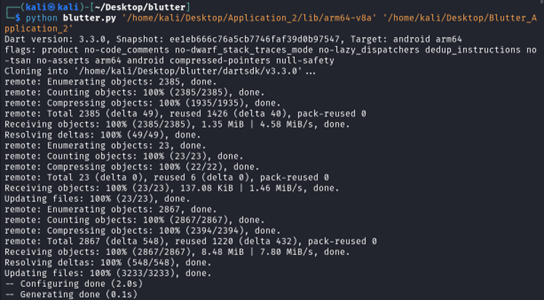
Then I used Gitleaks to scan for credentials, and the scanning results showed that it found a private key header.
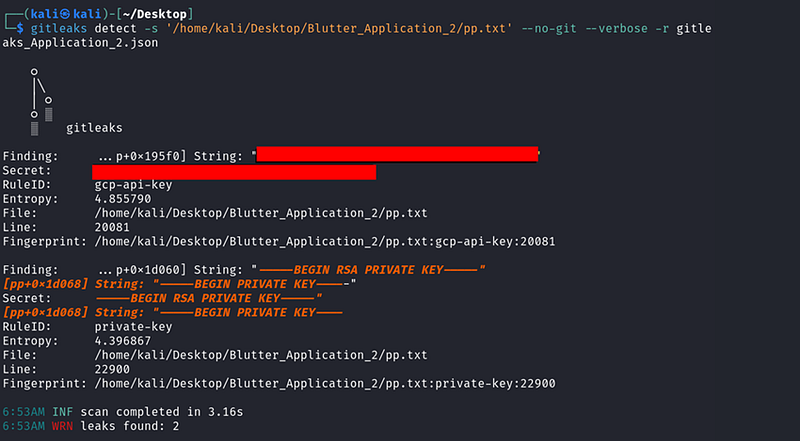
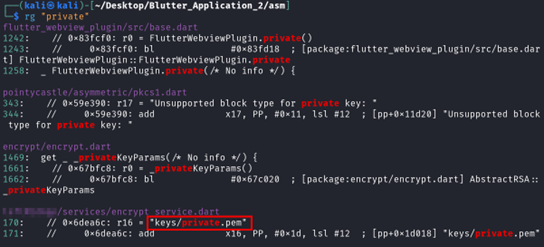
From the private key header that was found. To observe the usage of the header, I used Ripgrep to search for files within the ASM folders that contain ‘private’ keyword. The encrypt_service.dart file contained “key/private.pem” string variable which seemed interesting.
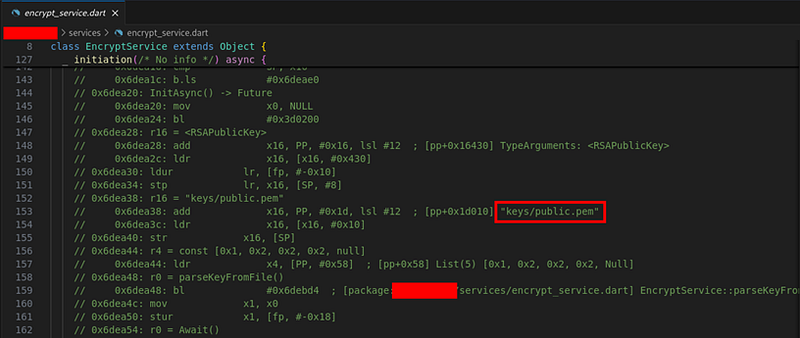
After analyzing the usage of “keys/private.pem” string within the “encrypt_service.dart” file, I came to the conclusion that the string is a file being called from the application’s asset.
And because of that, I unzipped the APK to view the flutter asset folder.
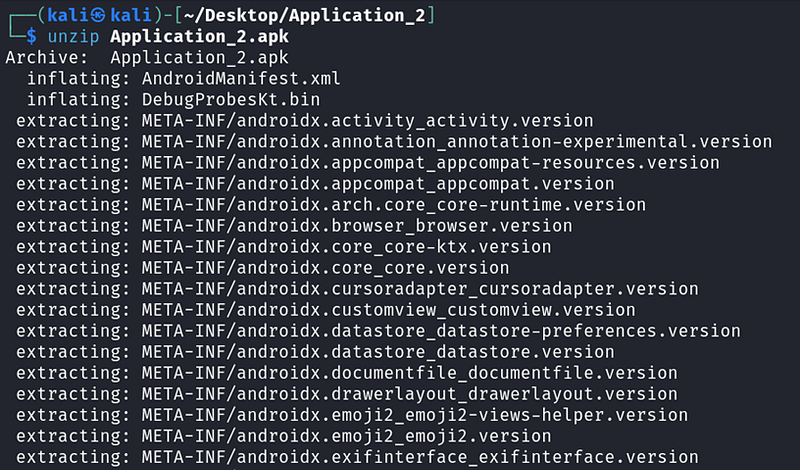
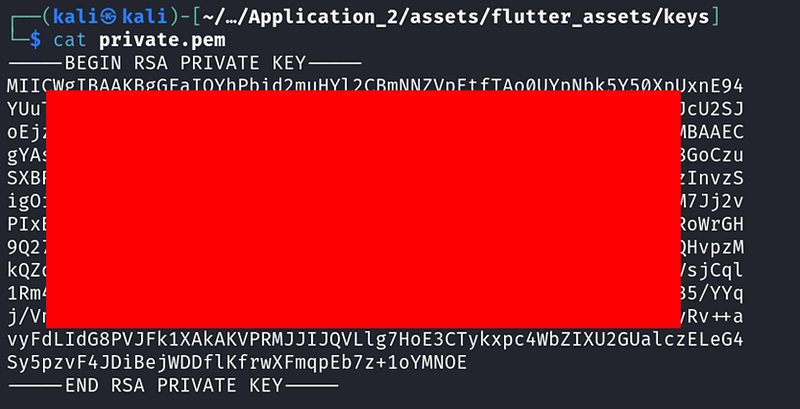
From inspecting the app’s flutter asset. And voila! I was able to locate a private key file.
Application III
For the third application, this is a mindful eating tracker created to assist users in developing a healthy relationship with food. The application lets you track the meals that you have had, your emotion after having a meal and also food recipe suggestions.
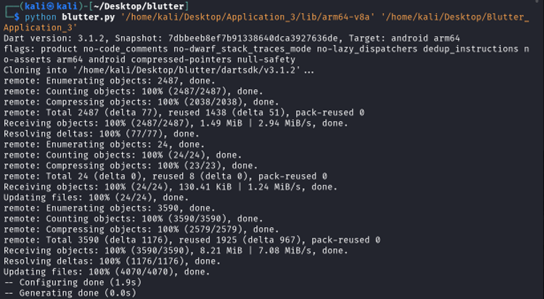
The identified sensitive data for this application is a JWT. These tokens are used for securely transmitting information between parties as a JSON object. They are commonly used for authentication and authorization. Because of that, a leaked JWT poses the risk of unauthorized access to sensitive data. Here are the steps and descriptions. I started with reverse engineering the application’s APK with B(l)utter.
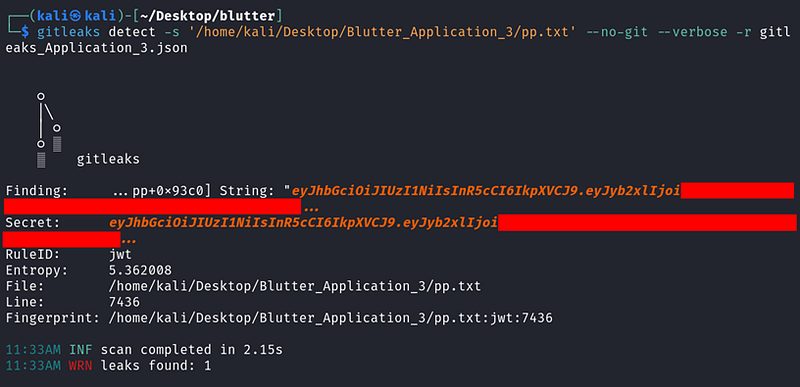
Gitleaks scanning tool was used to search for sensitive credentials. A JWT was detected as a result.
Since the usage of the token is not known yet, then the assemblies must be analyzed. To locate the assembly file that contains the JWT, Ripgrep was used to search for files within the ASM folders. A file named “supabase_client.dart” appears to contain the JWT.

VSCode was used to view the “supabase_client.dart” file within the ASM folder. From inspecting the assembly, I figured out that the JWT is being used to connect to an API endpoint.
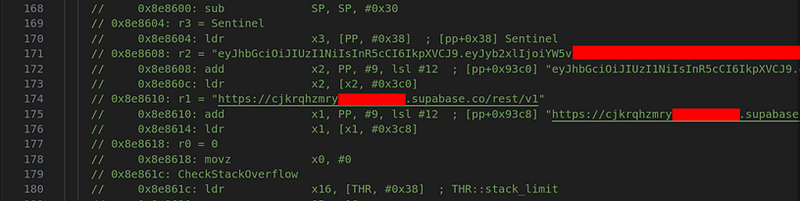
From inspecting the API endpoint, I found out that it is an open-source backend called Supabase. The database is fairly simple to use, with a few clicks, gives developers access to a scalable, real-time backend. It provides an extensive set of features, such as serverless operations, real-time data synchronization, storage, authentication, and a managed PostgreSQL database. With Supabase, backend development is made easier, freeing developers up to concentrate on building applications rather than running the infrastructure.

So, I looked up Supabase’s document and found that the API provides a CLI with tools to manage and run Supabase projects. I used the JWT to connect to the API endpoint with the following command.
curl <SUPABASE_URL>/rest/v1/ -H “apikey: <SUPABASE_ANON_KEY>” \
-H “Authorization: Bearer <SUPABASE_ANON_KEY>
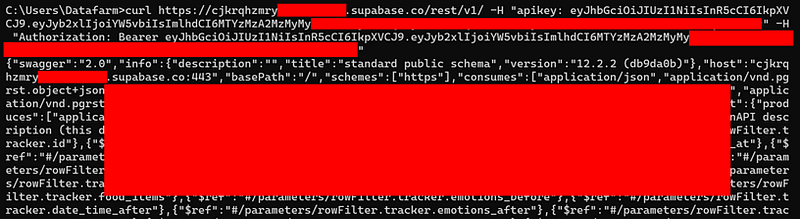
As a result, I was able to retrieve further information of the system which are API structure, endpoints and database schema. With this information, adversaries can better understand how the API works and its interaction to the database. This can serve as a potential attack surface that can be used to further compromise the system.
Application IV
Now, Last but not least. This fourth application has over 5 million downloads and is part of a vulnerability disclosure program. The application is used for controlling and customizing IoT gadgets, in which it allows users to control smart lighting systems in their homes.
The application was found to contain a sensitive data. In this case, an AWS access token was found. Disclosed AWS tokens source code poses a serious security risk since it allows unauthorized users to access the resources of the compromised AWS account. Access to services like S3 storage, EC2 instances, and Lambda functions requires authentication, which is provided via AWS tokens, particularly Access Keys or Secret Keys.
If adversaries come across the token, they may utilize it to steal information, interfere with services, or generate expenses by creating unapproved resources. The severity of this leak increases with the token’s associated permissions and the environment it affects, which makes production environments being especially critical.
Let’s dive into the steps and methods that I used to find the token and how to exploit this piece of sensitive information. Begin with reverse engineering the application’s APK with B(l)utter.
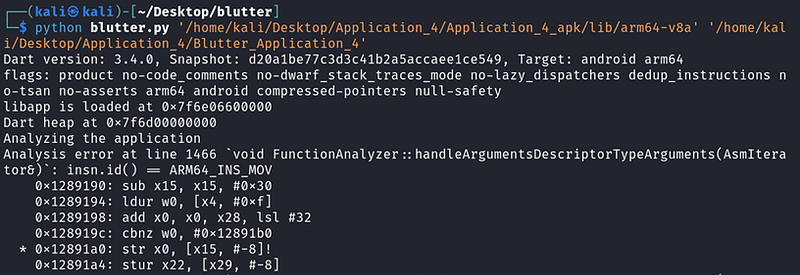
The Gitleaks scanning tool was used to search within the pp.txt file and this time it was able to detect an AWS access token.

After studying the AWS documentation. I learned that for general use, the AWS configure command is the fastest way to set up the AWS CLI installation. In order to do so, a secret access key is required to perform that action.
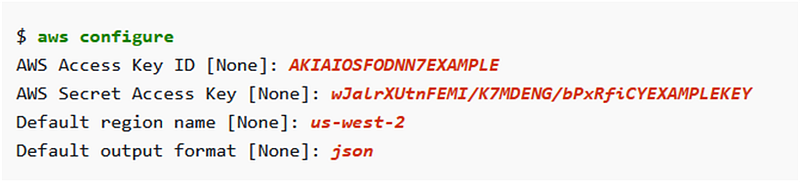
While the secret key is still missing. The access key’s usage is not really known yet. So, I decided to examine how the access key is being used first instead. Ripgrep was used to find the access key within the assemblies. It was found located within “aws_s3_user_clip_upload_id.dart” file.

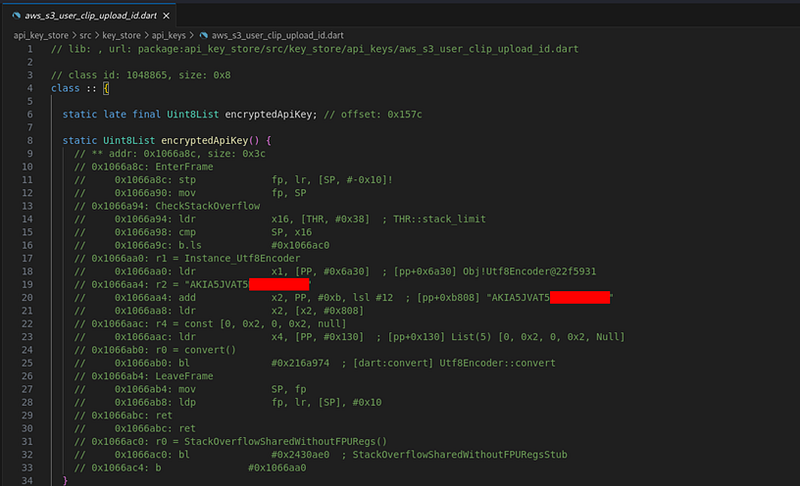
A file with similar name called “aws_s3_user_clip_upload_secret.dart” was found located within the same directory with the access key. After analyzing the assembly, I figured out that this file contains a function that is responsible for encrypting the secret key.
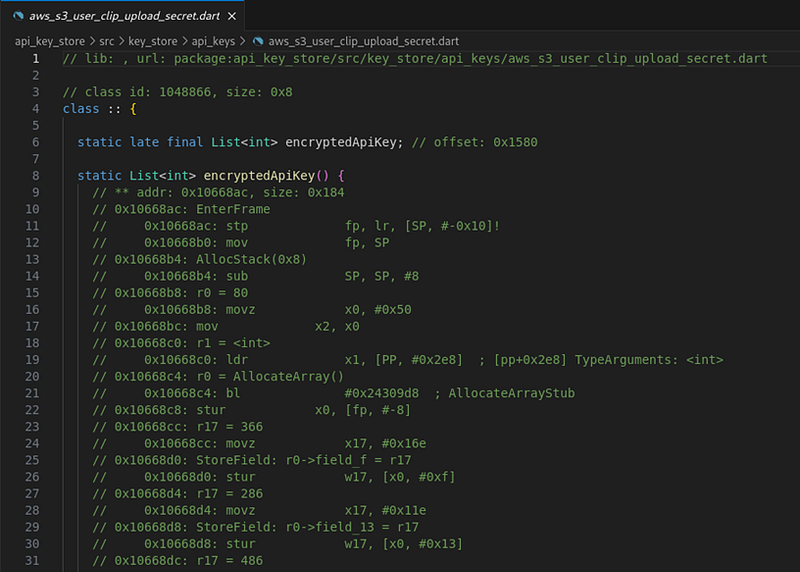
The secret key can’t be read directly, what can be done now?

Since the previous two files indicated that it is an S3 bucket resource, I further analyzed the assemblies and found that within “app_initialize_
security.dart” file at address ‘0x11f08d4’ is a client responsible for calling and accessing the AWS S3 bucket.
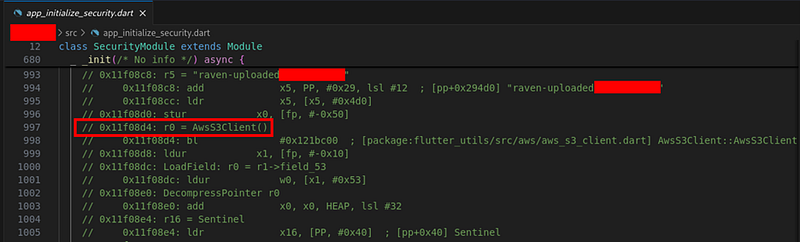
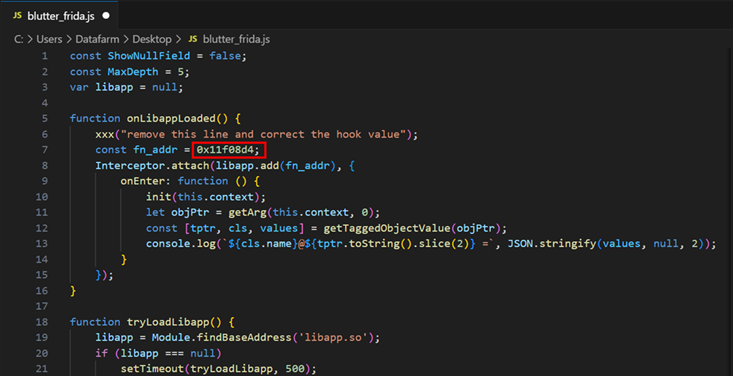
A Frida script generated from executing B(l)utter was used to hook the function of address “0x11f08d4”.
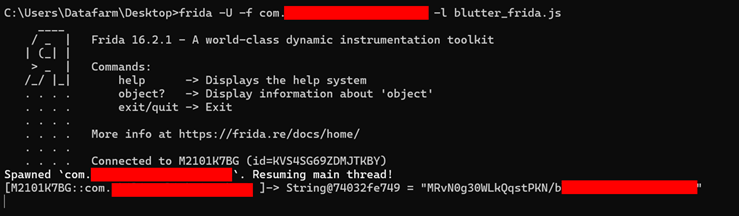
To hook the function, a Frida command was used with the script to obtain the secret key.
frida -U -f
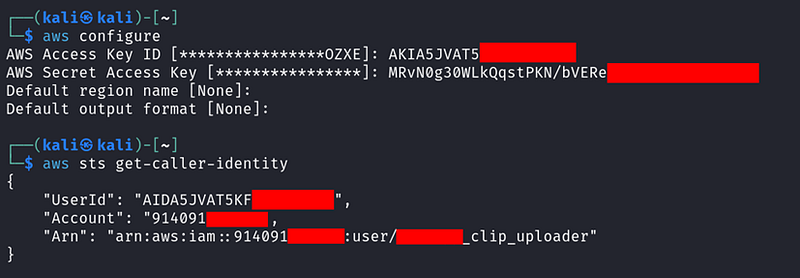
To set up AWS access, the AWS Secret Access Key and AWS Access Key ID were configured. This allowed querying of IAM identity information, verifying the validity of the credentials. With this established, these credentials can now be used to access and perform operations on an S3 bucket.
This means that the S3 bucket is accessible which makes the system vulnerable to data exposure if there are sensitive data stored within the bucket. Moreover, data manipulation can occur to the system as well such as attackers might modify, delete or corrupt data within the bucket.
Conclusion
This shows that there are fair few amounts of Flutter applications that still hardcode their sensitive information within the source code. I managed to find 4 different kinds of credentials which were API key, Private key, JWT and an access token. If attackers were to obtain the credentials mentioned before, they can exploit them to gain unauthorized access and potentially cause significant harm.
API keys allow unauthorized API usage, bypass rate limits, and impersonate users. Private keys can be used to compromise authentication and data integrity, enabling attackers to impersonate owners and manipulate data. JWTs, if compromised, facilitate identity theft, unauthorized access to services, and session hijacking. Moreover, with AWS access tokens, attackers can gain access to the AWS environment with the same permissions as the compromised token. This can include reading, writing, and deleting data, spinning up or shutting down instances, and accessing sensitive information stored in AWS services like S3, RDS, and DynamoDB.
Reverse engineering Flutter apps have become increasingly accessible due to specialized tools like Blutter, which can expose sensitive information hidden within APK files. This tool plays a crucial role in dissecting Flutter applications, allowing researchers and attackers alike to uncover hardcoded credentials, configuration settings, business logic constants, API endpoints, and more. By decompiling and analyzing the app’s assembly code, Blutter reveals data that developers might assume is secure. This capability highlights the importance of securing sensitive information and employing robust protection techniques to safeguard Flutter applications against potential breaches. Hope this is helpful to anyone who is interested or working on Flutter apps!